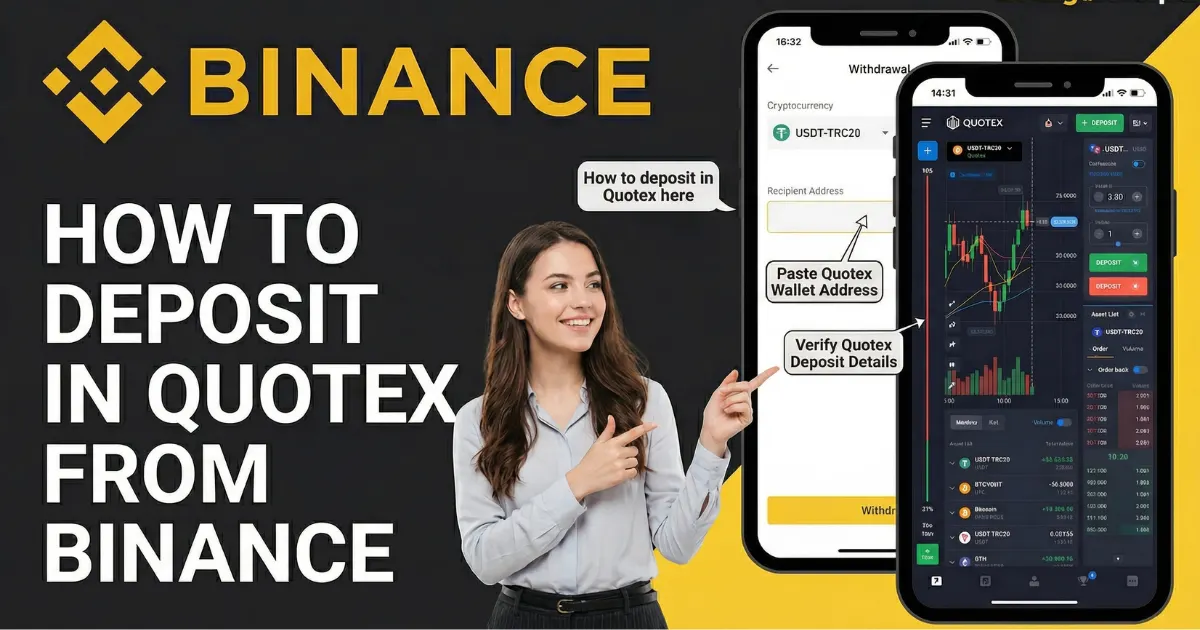
How to deposit in Quotex from the Binance TRC20
This complete guide will help you the whole process step by step without any risk. I explained each step in very easy way and explain this with real screenshots.
(Picture 2.1)
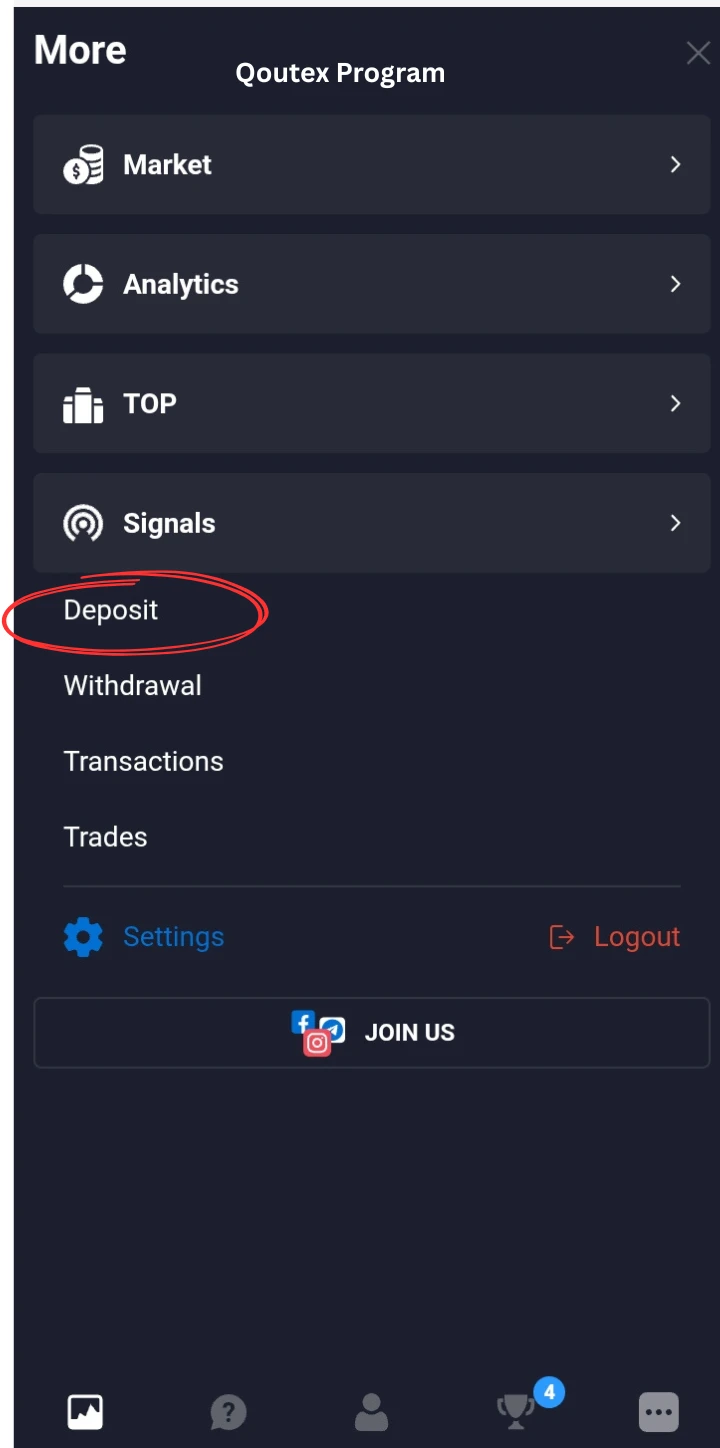
Step 1:
Open your Quotex App or from Web dashboard or from the Mobile App Dashboard. click on Deposit as shown in (Picture 1.1)
(Picture 2.2)
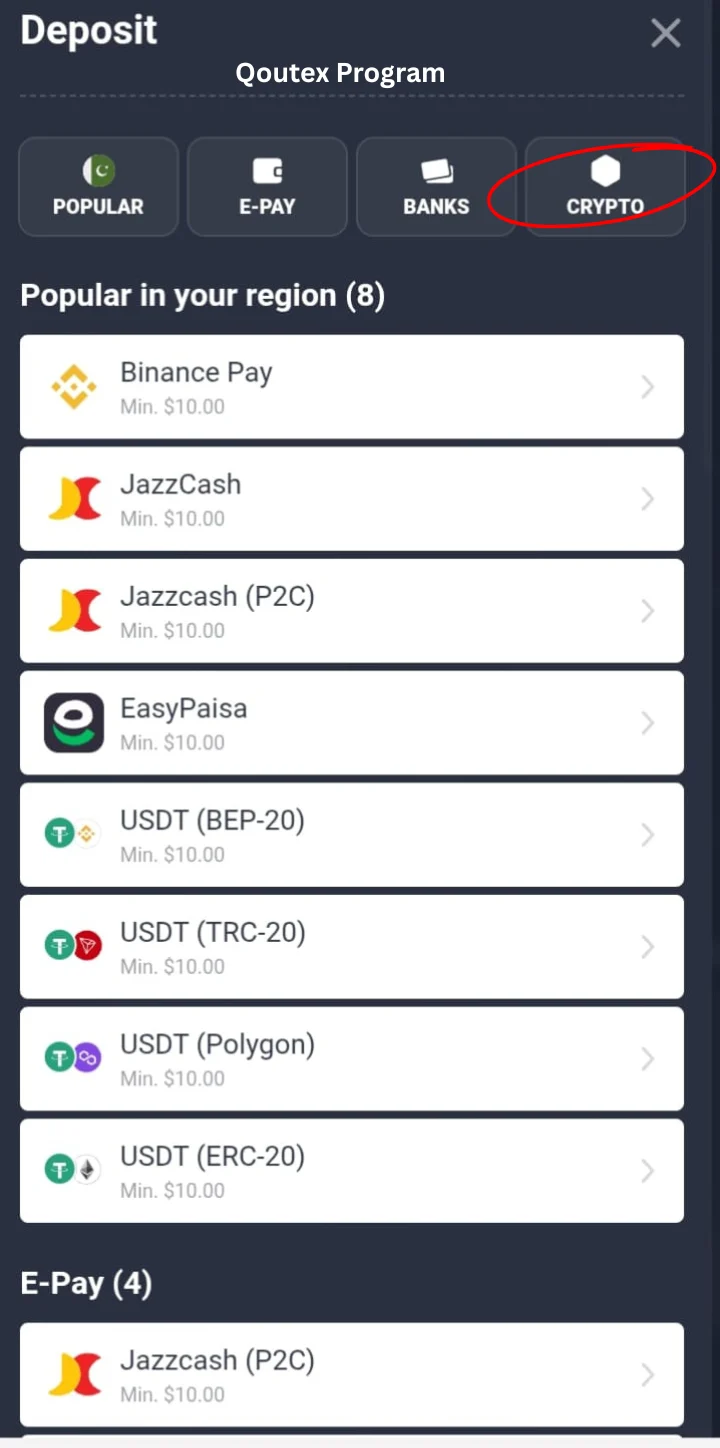
Step 2:
After clicking on deposit, a screen is shown where all types of methods are available. Here you click on which is shown in the right corner of the screen, CRYPTO, like in (picture 2.2). All your deposits that operate from Binance are under the Crypto, many other methods are also available, but this is an easy and safe method. It also contains less transaction cost, which is why every Quotex trader uses this method to invest a huge amount without any risk. Before any transaction, make sure you follow these steps, which are shown in a screenshot.
(Picture 2.3)
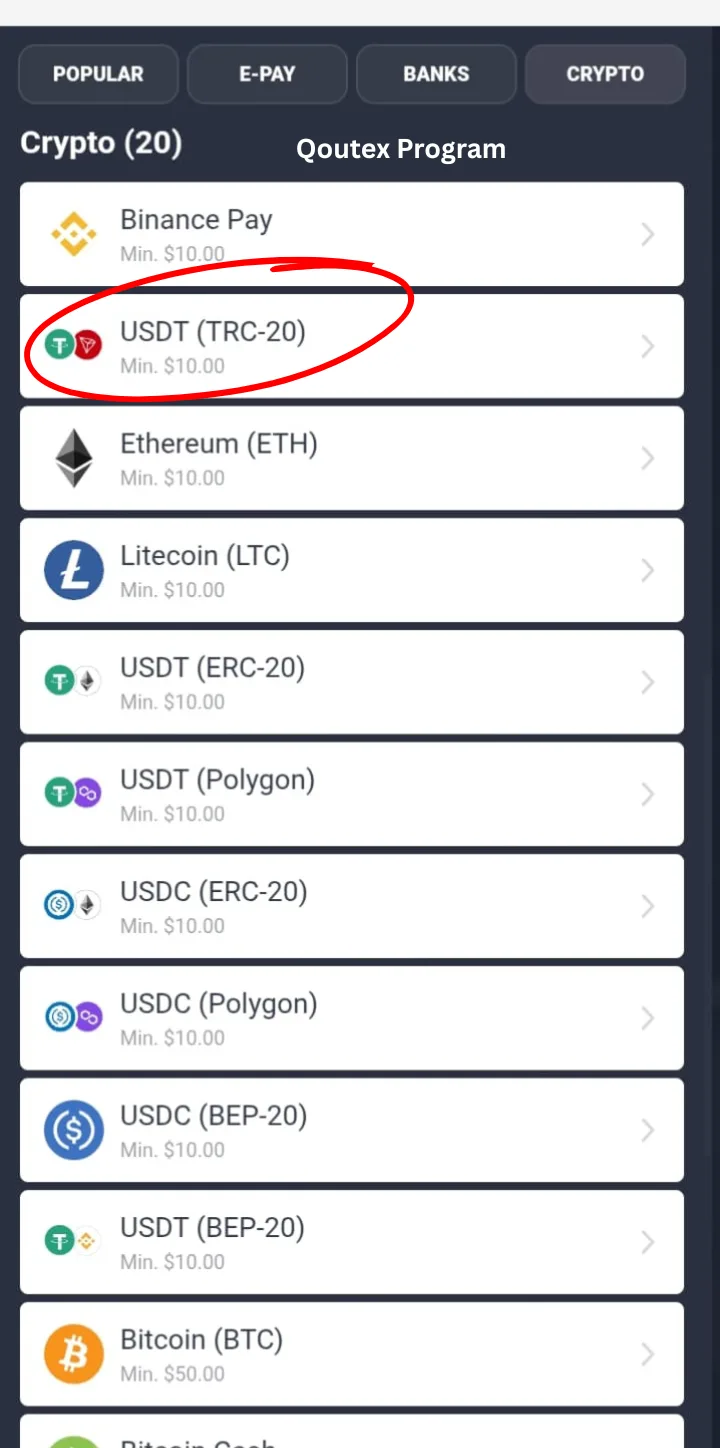
Step 3:
When you clicked on CRYPTO , it showed a complete list of crypto channels. Here you see the number of methods.
from the list you select USDT (TRC-20) as I marked in (Picture 2.3). This is a safe and easy method in crypto, and Quotex receives these funds on the spot. Before click make sure its correct coin, it has two icons: green which has T written, and red, which has a diamond icon. It may change with time, but it's the easy way to remember the correct TRC-20.
from the list you select USDT (TRC-20) as I marked in (Picture 2.3). This is a safe and easy method in crypto, and Quotex receives these funds on the spot. Before click make sure its correct coin, it has two icons: green which has T written, and red, which has a diamond icon. It may change with time, but it's the easy way to remember the correct TRC-20.
(Picture 2.4)
Step 4:
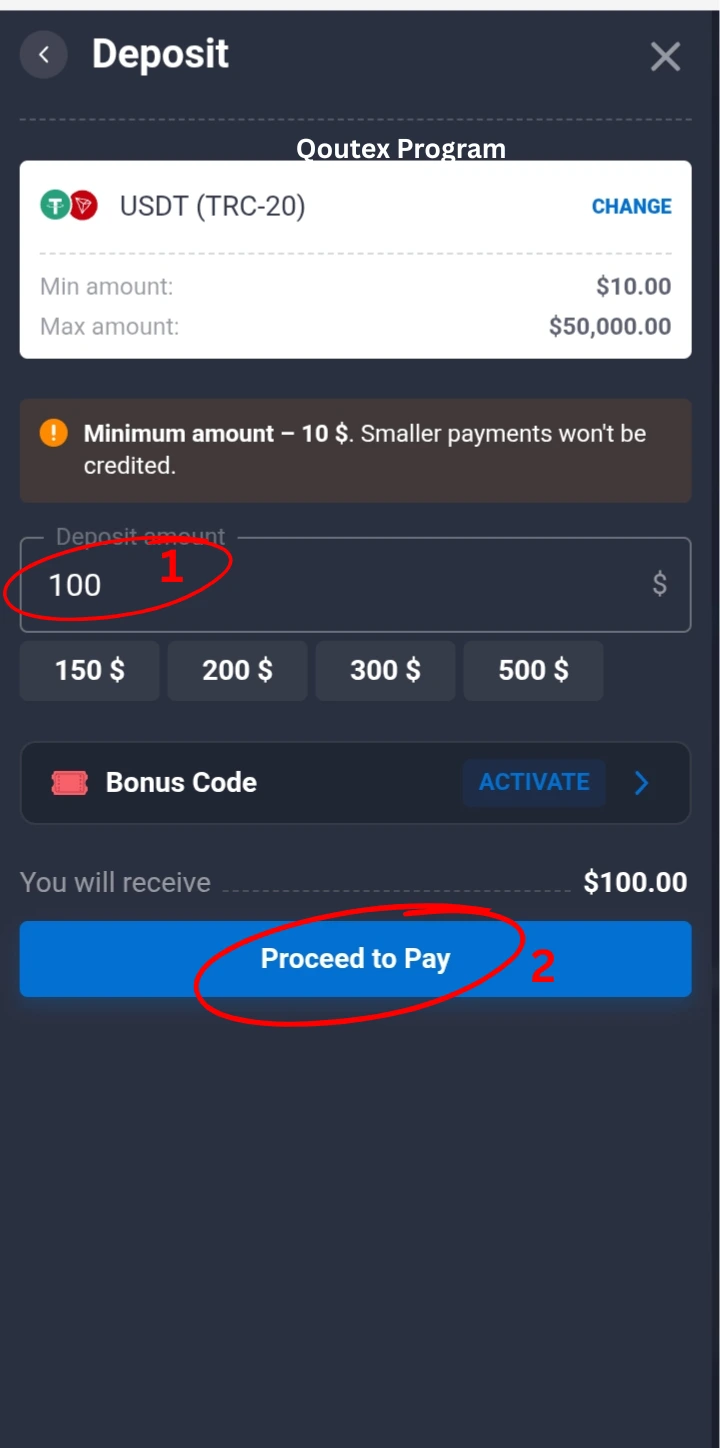
After click on "USDT (TRC-20)" you will see the screen of where you enter the USD Amount suppose we enter 30. we can also enter 100 or according to your wish and requirement. Ignore bonus code and under this a button shown as "Proceed to Pay" as shown in (picture 2.4). in this screen don't mistake to enter USD$ make sure your Binance have enough funds next, I enter 30$ because my Binance I have 30$ it's just for demonstration purpose I am showing complete details in the real time screenshots.
(Picture 2.5)
Step 5:
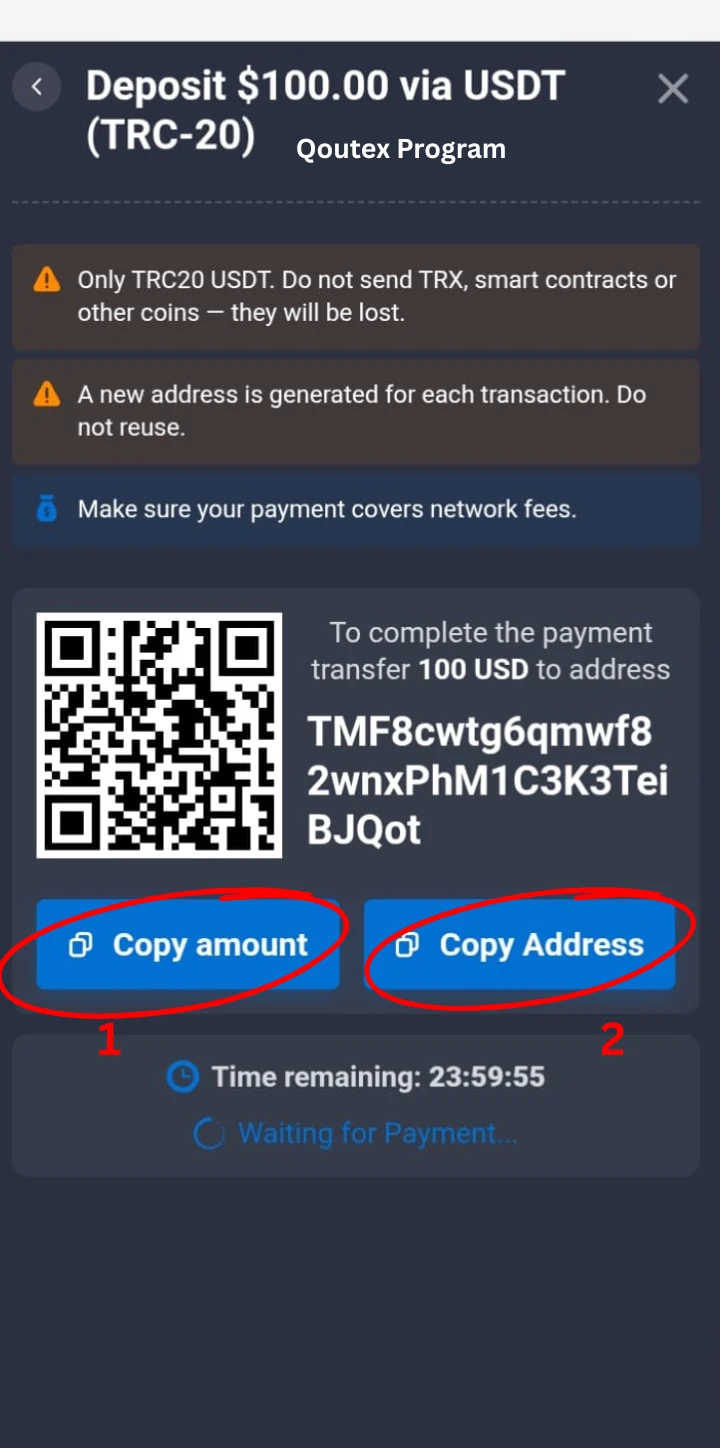
After "Proceed to Pay" button click you will show a your unique TRC-20 deposit address page.
Instructions:
Don't select another method in Binance it's just for TRC-20
Every new deposit has its own new address don't use another deposit suppose we lost this screen to then again comes on these screens
In this screen we have two marks one for copy the amount if you remember then no need to copy then the second button "Copy Address" is important here. Click on this button and copy your TRC-20 Address. Here you can scan the QR code if you have two cell phones and one have Binance and one have Quotex then you can also scan this QR code in Binance. This QR code contains your address if you copy this address its easy and safe method.
(Picture 2.6)
Step 6:
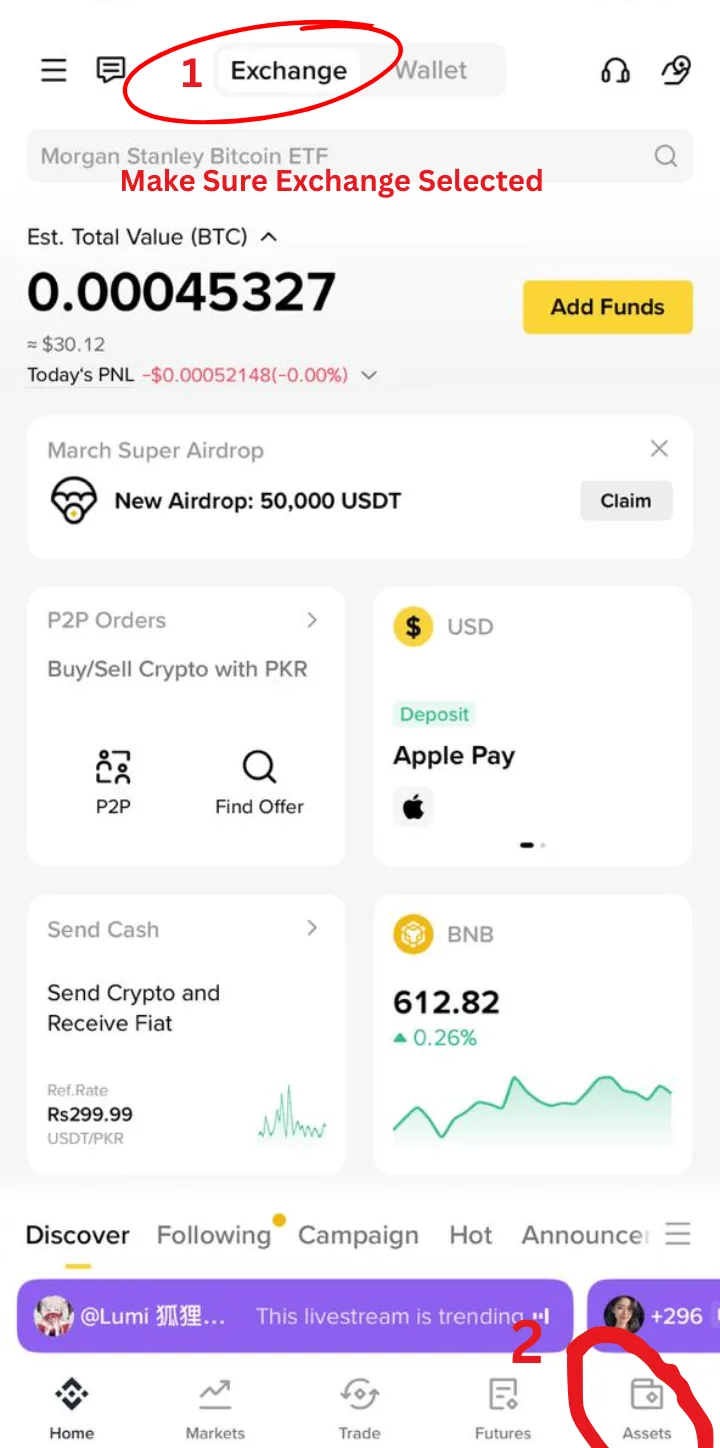
After copying your TRC-20 address, open your Binance and log in successfully before the transaction. Make sure your Binance account is already open.
See (picture 2.6). It's the most important screen first seen on Mark 1. You will see two options, "Exchange" and " Wallet " mostly, your USDT or other funds are in the Exchange in spot. The wallet contains your fixed assets. When you buy USD $ from P2P it comes in Exchange and all professionals use Exchange for deposits and withdrawals.
Exchange ---->Assets.
(Picture 2.7)
Step 7:
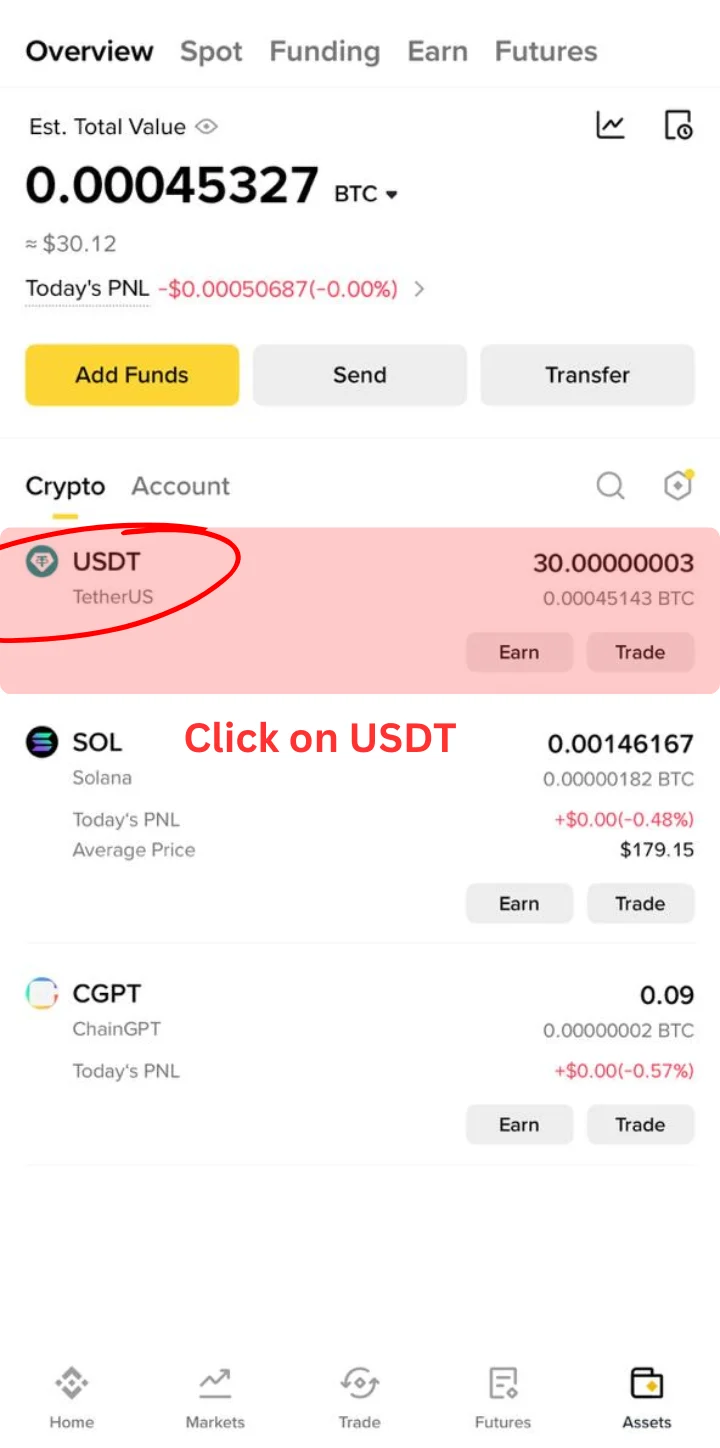
After clicking on Assets, you will see the crypto list. Here you can search USDT. If your spot has any other Coin like SOL CGPT you also can select them, but make sure you have an amount of these coins. see the (picture 2.7 ) on top highlights the USDT, which highlights the USDT. In my USDT, I have 30$.
(Picture 2.8)
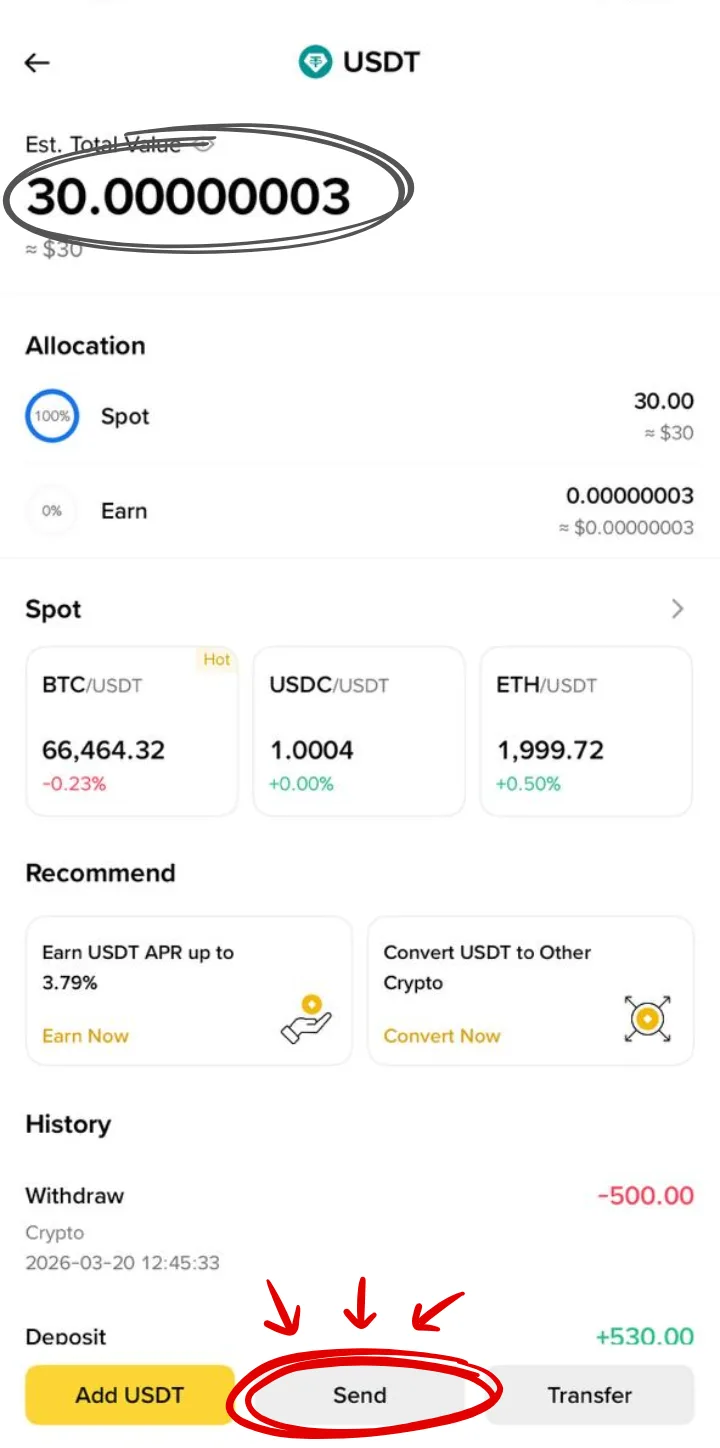
Step 8:
After clicking on USDT you will see this screen. First, make sure you have enough USDT. See the (picture 2.8). In my spot, I have 30$ here also showing a history of previous records. Here write those amounts which you have already generated from Qoutex app.
(Picture 2.9)
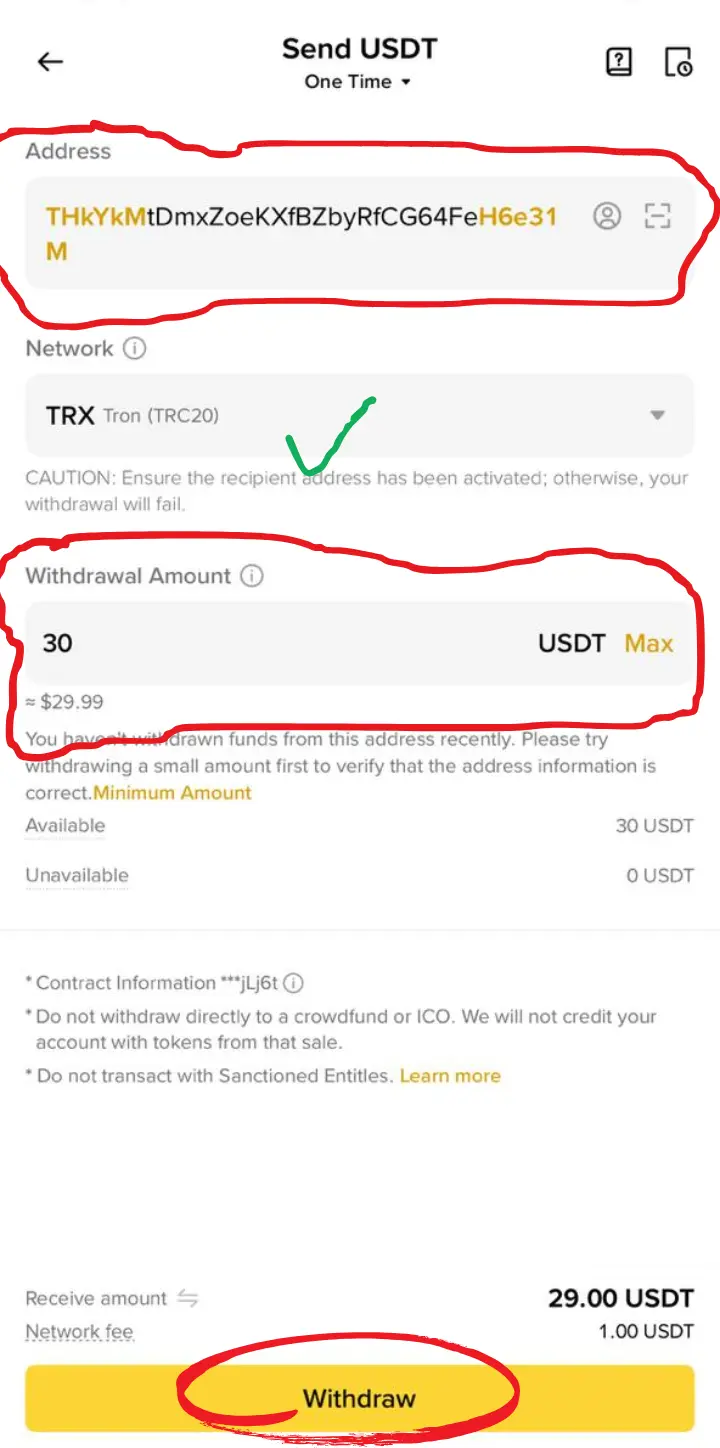
Step 9:
After the "Send" button is clicked, you will see this screen. Here you copy TRC-20 Address from Quotex App. As I said, you can also scan QR code, but the best practice is to paste the address here in the Address section. After this you see already selected TRX Tron TRC-20 here not confused TRX Tron is the same, it's used for TRC-20.
After this section comes on Withdrawal section here enter your desired USDT. after this all make sure 1.00 USDT is the network fee. Suppose you select 101 USDT. In your Quotex you will get 100$.
After this final step, you will see the success message. In your Quotex Dashboard, you will receive your USD$
FAQs
1- What is difference between USD and USDT ?
USD is Real currency (bank money). which is controlled by Banks. likely used in cards ATMS Bank Transfer. On the other hand, USDT Digital currency Works on blockchain. Value ≈ 1 USD. Actually, it is used in Crypto.
2- Is USDT equal to USD?
Yes, Value same but not same system. USDT control in Crypto and USD is used in directly banks.
3- If I deposit many times with the same Quotex TRC-20 Address, will my money be lost?
Yes, but your payment arrives in Quotex, but after using this link, it will expire for the next use. You must generate a new Address from Quotex.
4- How much time Quotex give for Expire TRC-20 Address ?
Quotex gives 24 hours after the address is generated to receive a deposit from the Crypto Account.
5- What happened if we transfer from Binance Wallet not from Exchange?
It'll also work, but it requires more verifications.
6- Can I use other coins for transfer in Quotex instead of USDT?
Yes, you can use other coins to convert their price to USD and will transfer.
7- Can I receive an email after sending unsuccessful transfer funds to Quotex from Binance?
No, after send the funds from Binance whatever address is wrong or correct your funds will go.
Conclusion
In this article, you will learn how to deposit funds in Quotex from Binance. I withdraw USDT into Quotex. Each step defines clearly how you can shift funds. I explain all the information with real screenshots and process just for learning purposes. Before you make funds, make sure not to use third party apps for this transaction.