
I'll explain to you how to deposit in Quotext step by step using JazzCash account.
I am explaining each step with the help of screenshots follow these steps carefully, as they will fully help you to solve this deposit issue for all type of quotex users.
(Picture 1.1)
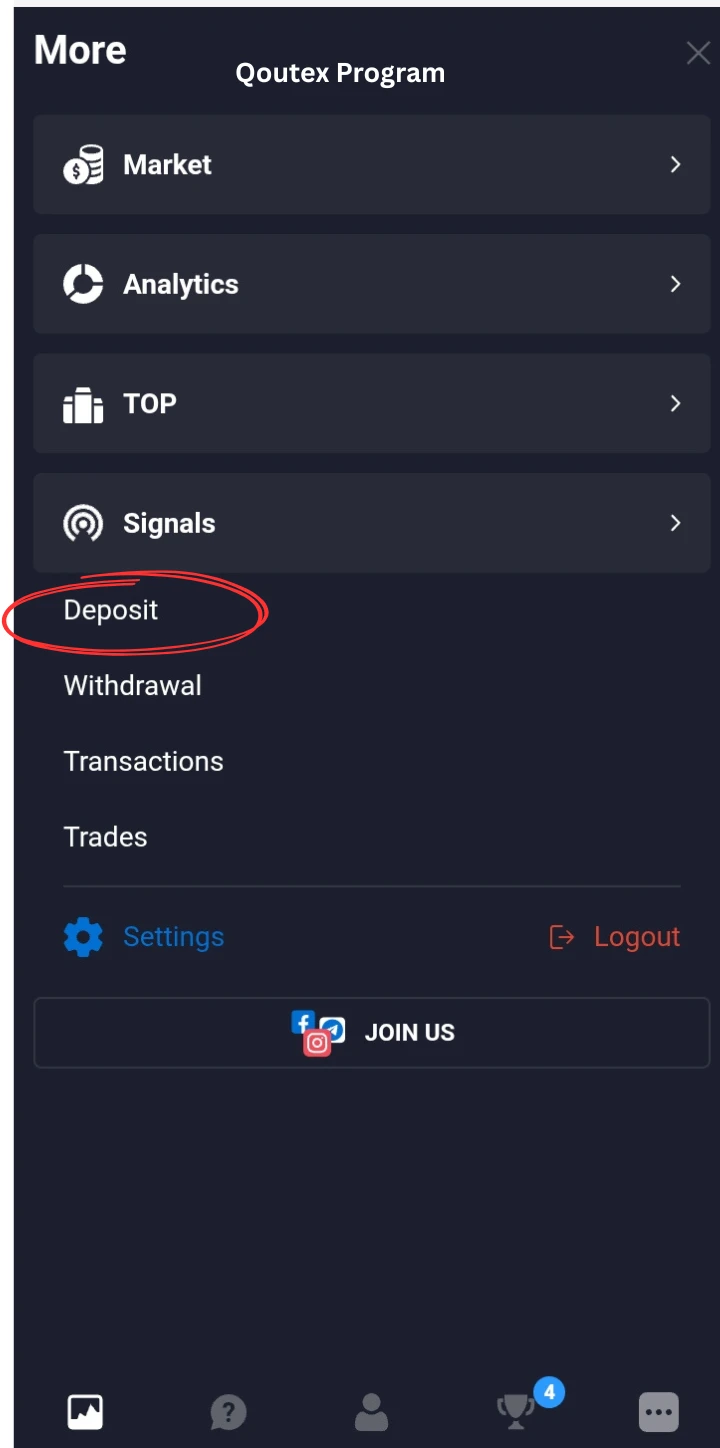
Step by step from your JazzCash account. Understand the process tips and important things to check before deposit. First of all come to Quotex dashboard and click on Deposit.
After this on the top you can see POPULAR, E-Pay, BANKS, CRYPTO under this you will see the Papular in your region, after this you have a list according to your area. this article is about jazzCash deposit other methods i will mention on the end of this article.
(Picture 1.2)
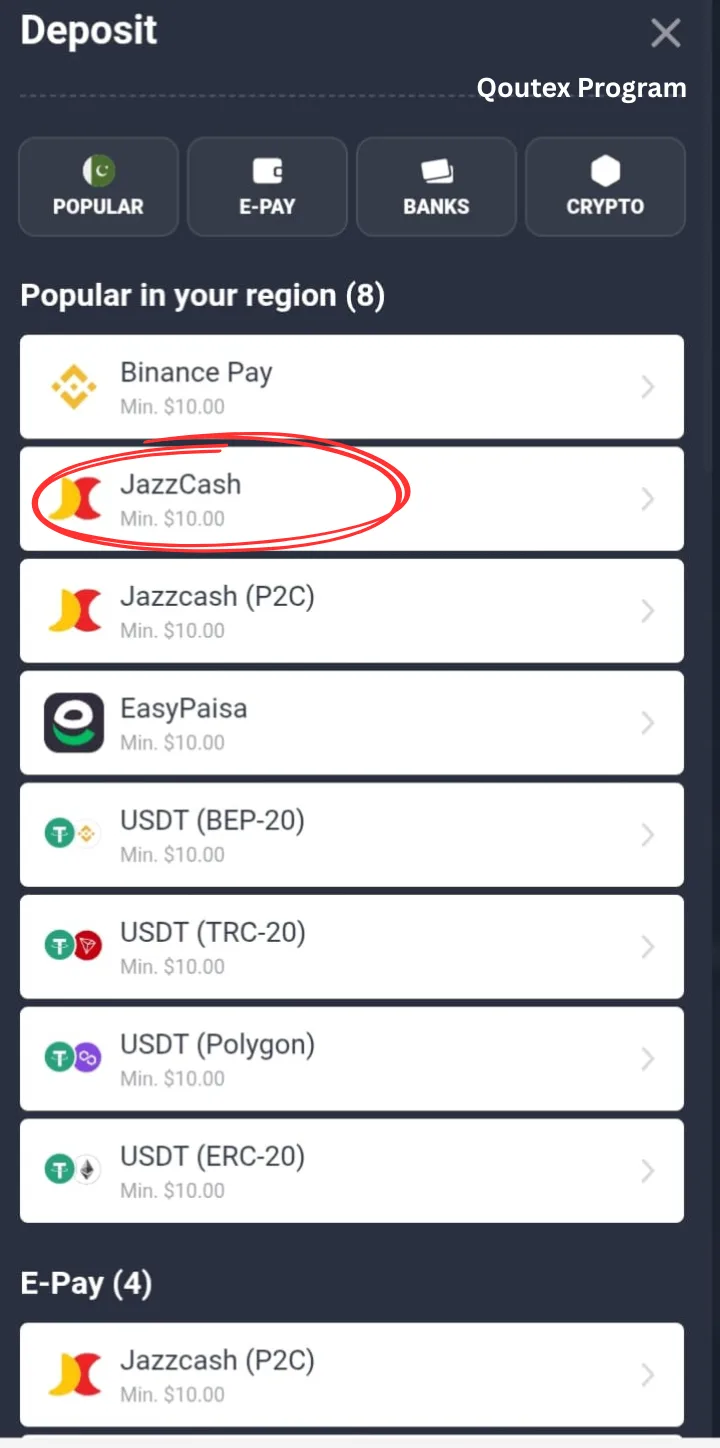
When you see in the list shown two type of methods in the JazzCash and JazzCash (P2C).
In these two JazzCash simple required your document ID, don't confuse actually Document ID is your CNIC NO. this method contains this verification. Within 1 minute your deposit successful.
On the other hand JazzCash (P2C) is the method where no need to give CNIC or other details but its take some time according to Quotex could takes up 48 hours to get procced. and in this method you will see in transctions log of Quotex marked as failed, but after time completing it will become success.
I explain difference between JazzCash and JazzCash (P2C) now its depends on you which method you chose.
(Picture 1.2)
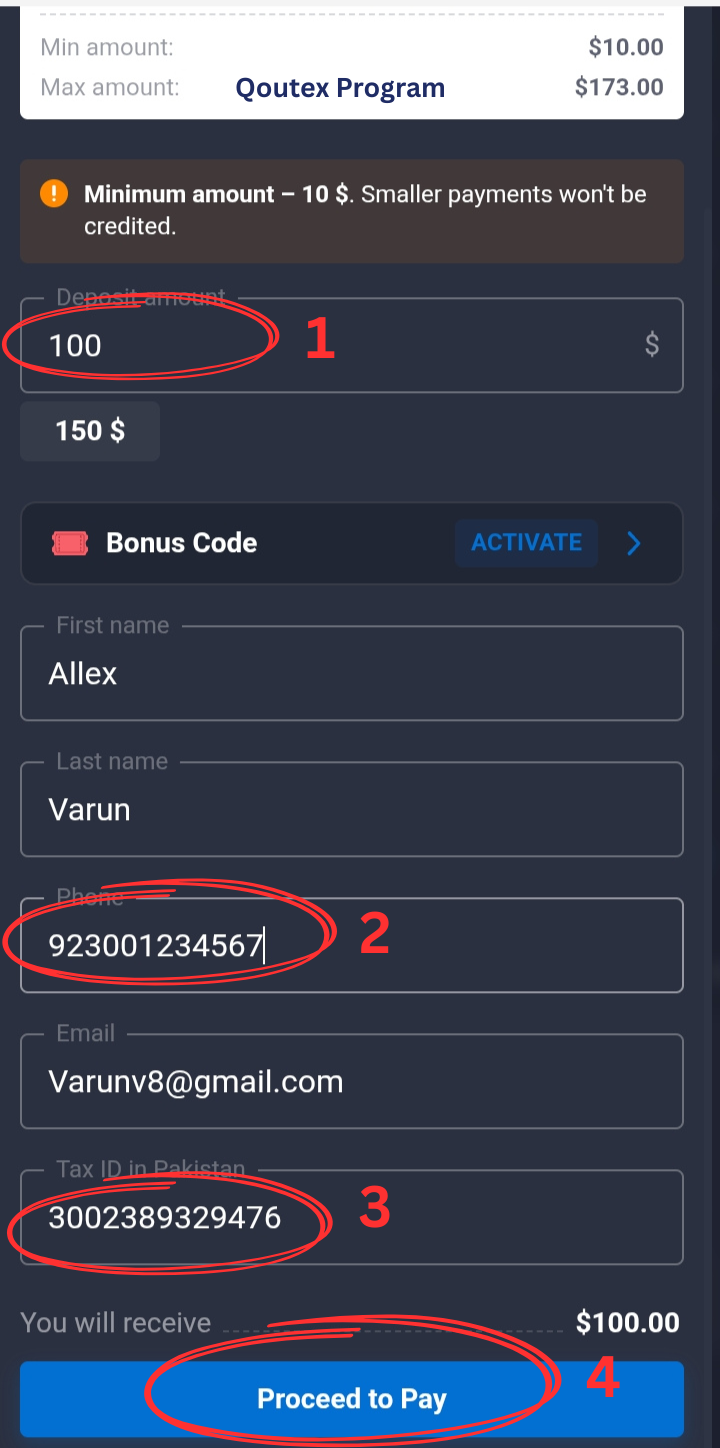
1 DEPOSIT AMOUNT USD$:
In this place enter how many USD $ want to deposit. This is wallets like JazzCash and Easypaisa these are maximum limits so here you can deposit minimum 10$ and maximum 173$ so according to your pocket enter the USD $ like you enter 100$. in this section just put numaric data like 10 to 173.
2 A/C NUMBER:
In this section add your JazzCash Account Number. suppose you have a Number e.g 03001234567 here you remove its first zero and then add 92 in the start of this then its become 923001234567.
3 Tax /Document /CNIC:
In this section you enter your cnic.if you already register your account and verified then automatically comes your details in this pic 1.2
After filling this informaion press "Proceed to Pay" button.
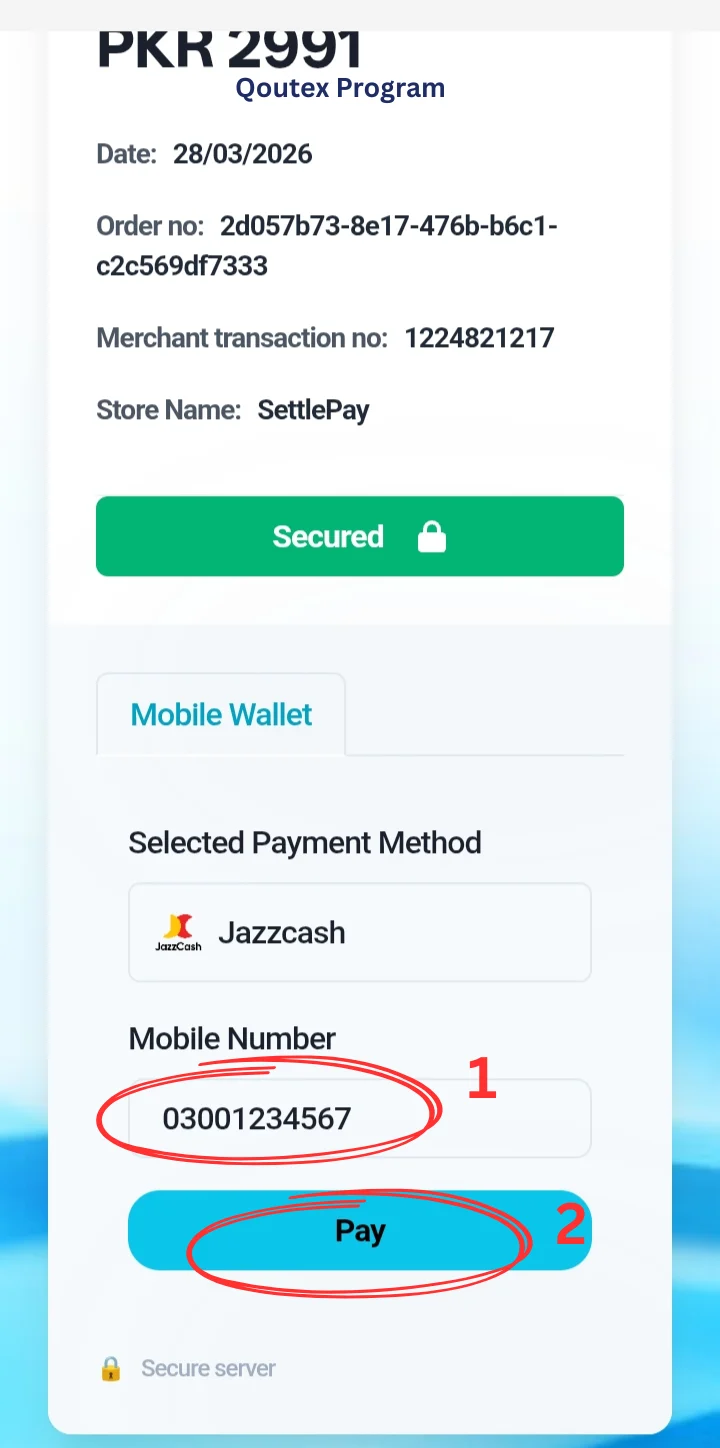
After this you will show (Picture 1.4). In this screen for your last verification confirm your number after fully confirmation press Pay button and wait after a moment on your screen show successful message and your entered USD added in your account.
Payment Confirmation
(Picture 1.4)
Faqs
1-What is the minimum and maximum DEPOSIT?
From the jazzCash you can deposit minimum 10$ and maximum 173$. Follow the given limits of USD.
2-Jazzcash and Jazzcash (p2c) are same?
Yes, both are from same bank but Jazzcash required directly CNIC but P2C needs no verification but gets 24-48 hours for add into your Quotex account.
3- Quotex save your bank information?
No, on every deposit you can do the same process your account information not fully saved in Quotex.
4- How many Maximum limits of deposit?
There is no limit of deposits.
5-How we undo deposit?
Once you done your deposit you can't undo your amount.
Conclusion
JazzCash and JazzCash (P2C) are same but different with different verification methods. Now i Explain in very simple way how to deposit in Quotex from your JazzCash account. I also explain your questions and answers.