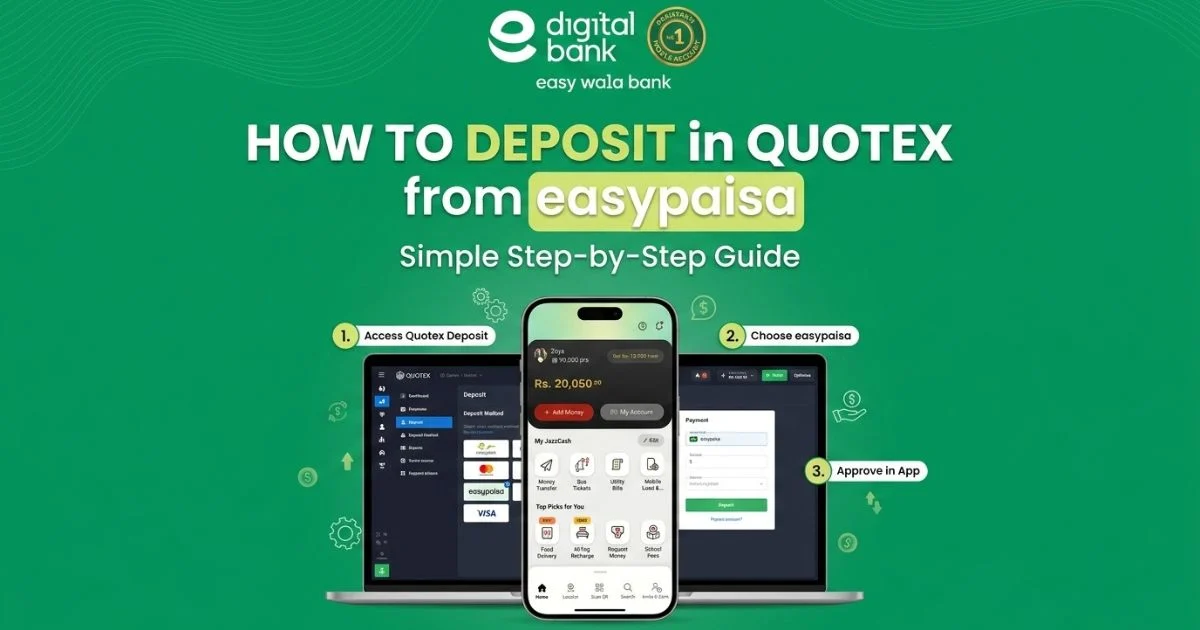
EasyPaisa is one of the most widely used mobile wallets in Pakistan with millions of active users across the country. If you are a Quotex trader in Pakistan and want to fund your account quickly without a bank account, EasyPaisa is one of the most convenient options available. In this complete guide we will walk you through every step of depositing money into your Quotex account using EasyPaisa, including the minimum amount, processing time, and tips to avoid any issues.
Does Quotex Support EasyPaisa in Pakistan?
Yes, Quotex supports EasyPaisa as a deposit method for Pakistani users. EasyPaisa works alongside
JazzCash as one of the two main local mobile wallet options on the platform. Since both wallets are widely used in Pakistan, Quotex has integrated them to make it easier for Pakistani traders to fund their accounts without needing a bank account or international card. You only need an active EasyPaisa account linked to your Pakistani phone number to get started.
What You Need Before You Start
Before making your first deposit, make sure you have the following ready. First, you need a verified Quotex account. If you have not registered yet, sign up on the Quotex website and complete the basic
verification process. Second, you need an active EasyPaisa mobile account with enough balance to
cover your deposit amount. Third, make sure your EasyPaisa account is registered under your own name and phone number to avoid any verification issues during the transaction.
What You Need Before You Start
Before making your first deposit, make sure you have the following ready. First, you need a verified Quotex account. If you have not registered yet, sign up on the Quotex website and complete the basic verification process. Second, you need an active EasyPaisa mobile account with enough balance to cover your deposit amount. Third, make sure your EasyPaisa account is registered under your own name and phone number to avoid any verification issues during the transaction.
Step by Step: How to Deposit in Quotex Using EasyPaisa
Step 1
Log in to your Quotex account on the website or mobile app.
Step 2
Click on the Deposit button at the top right corner of your screen.
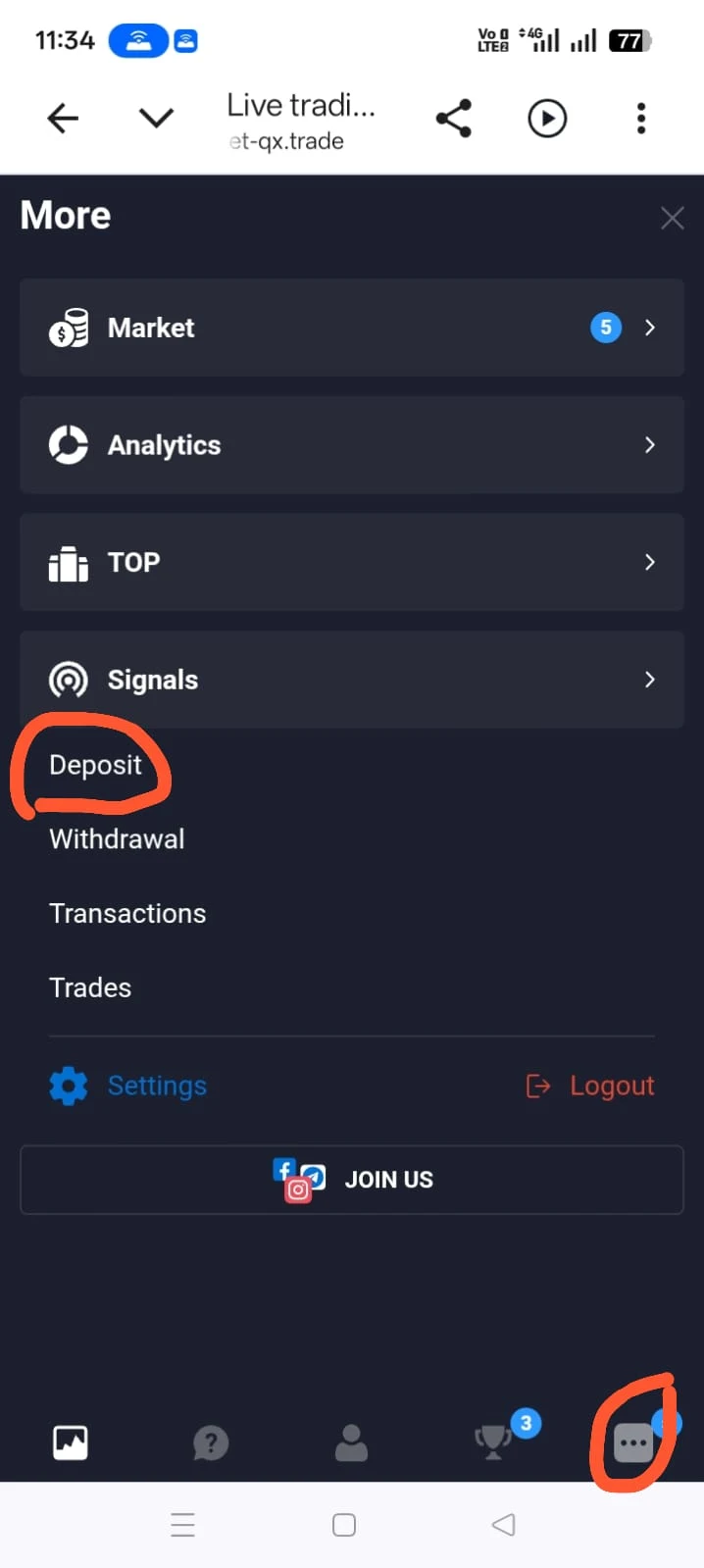
Step 3
In the payment method section, scroll down and select EasyPaisa from the list of available options.
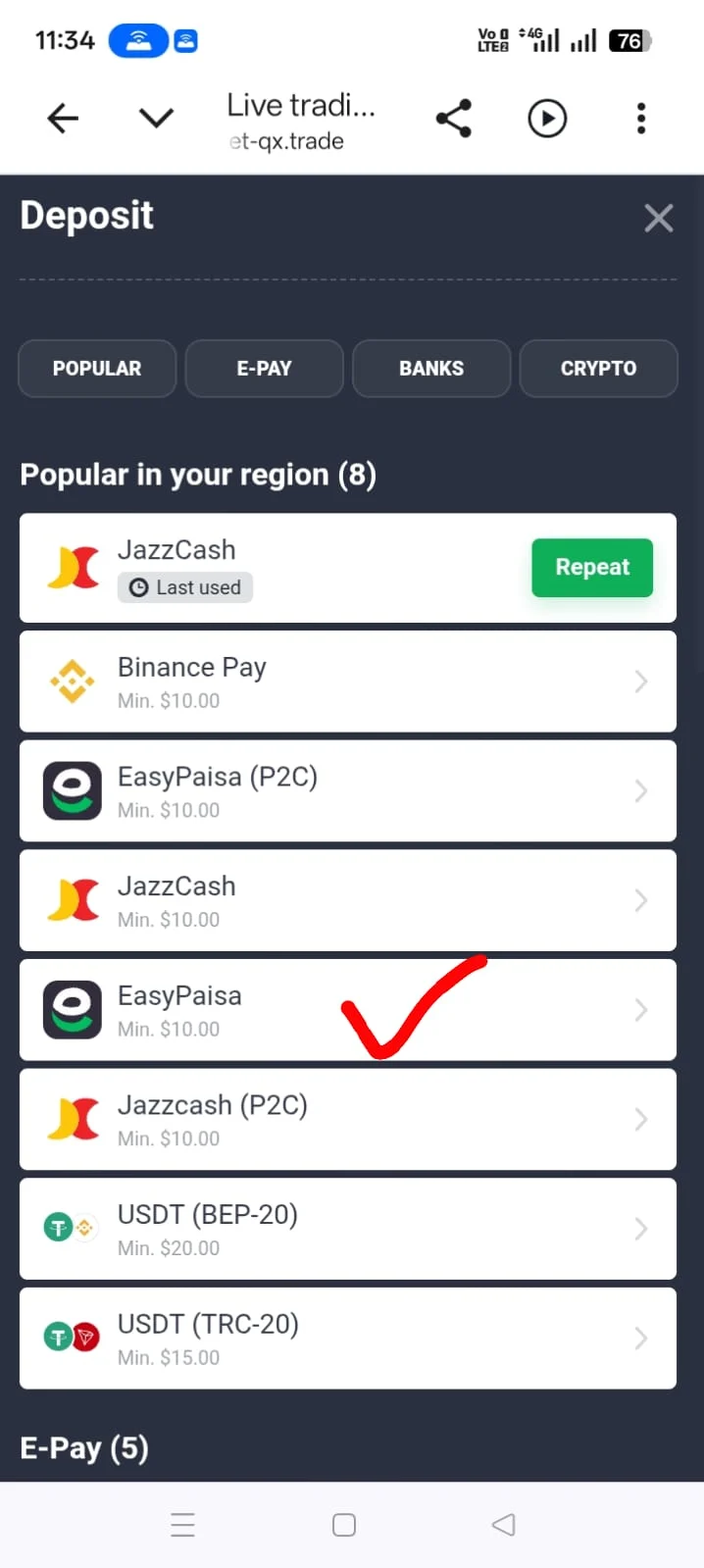
Step 4
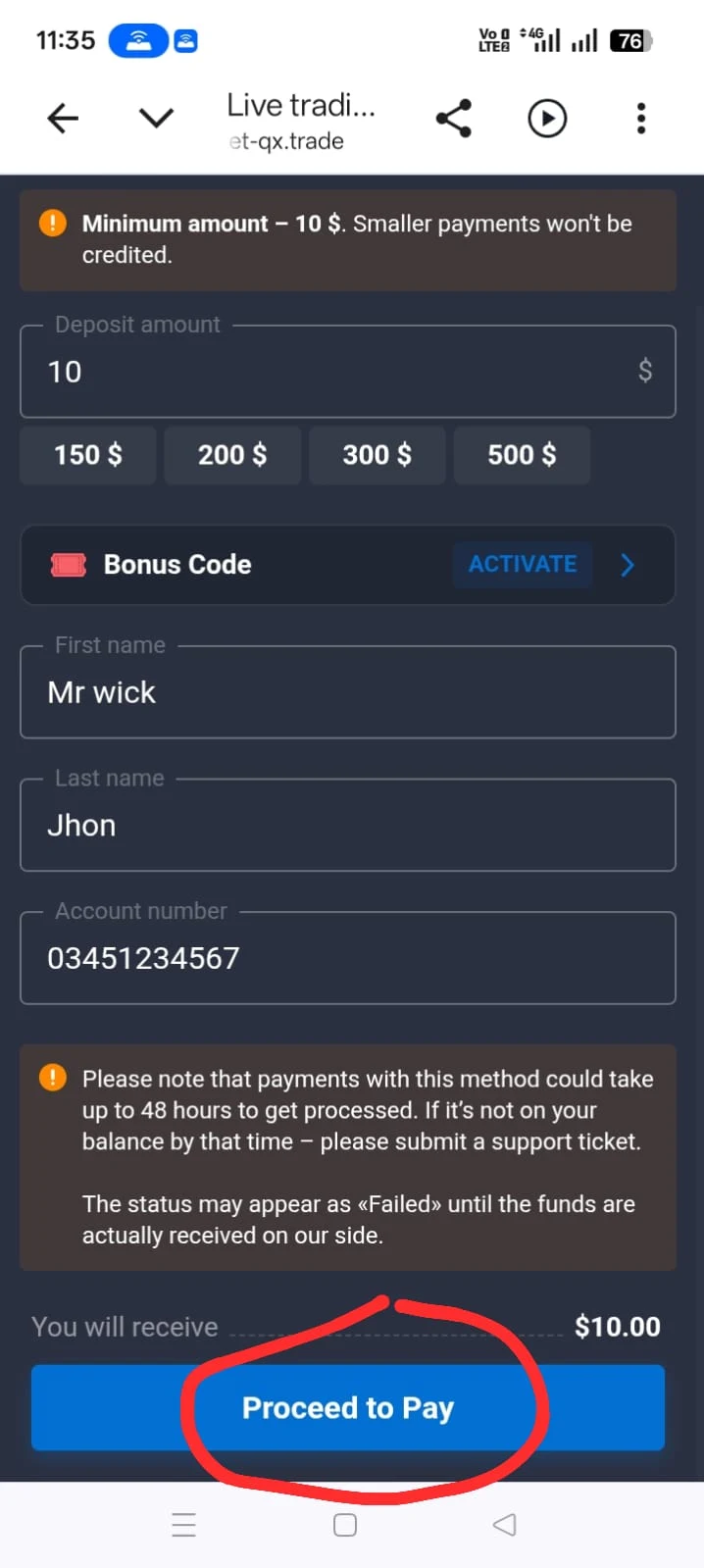
Enter the amount you want to deposit. The minimum deposit amount on Quotex is $10 which
is approximately 2800 Pakistani rupees depending on the current exchange rate.
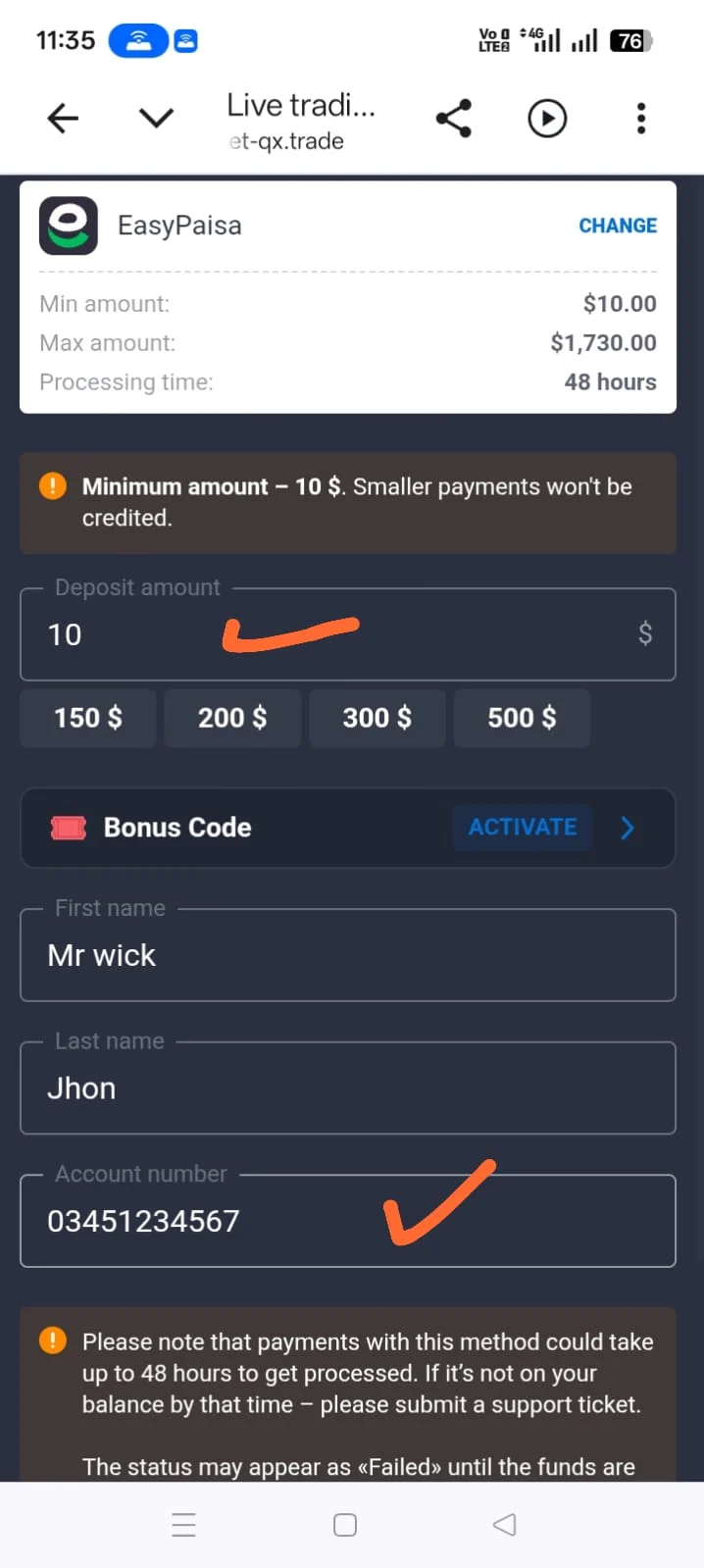
Step 5
Enter your EasyPaisa registered mobile number in the required field.
Step 6
Click Confirm or Proceed to initiate the payment.
Step 7
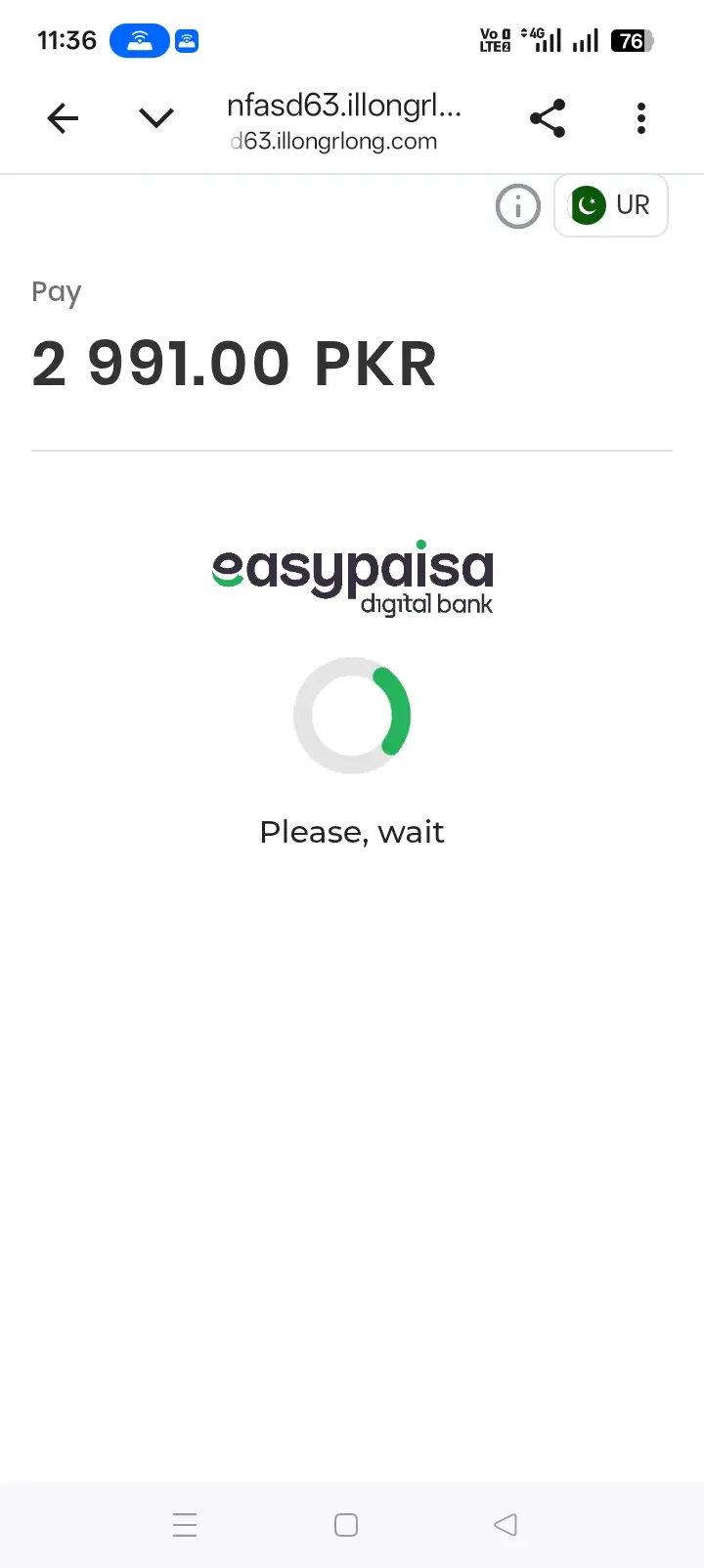
You will receive a confirmation request or PIN prompt on your EasyPaisa app or via SMS. Approve the transaction using your EasyPaisa PIN.
Step 8
Once the payment is confirmed, the amount will be credited to your Quotex trading account. This usuallyhappens within a few minutes.
FAQs
Minimum and Maximum Deposit Amount
The minimum deposit on Quotex using EasyPaisa is $10. There is no fixed maximum deposit limit for EasyPaisa but your transaction will be subject to EasyPaisa's own daily and monthly transfer limits. A standard EasyPaisa account has a monthly
transaction limit which you should check in your EasyPaisa app before making large deposits. If you need to deposit a larger amount, consider splitting it across multiple transactions or using USDT via Binance as an alternative for higher amounts.
How Long Does EasyPaisa Deposit Take on Quotex?
EasyPaisa deposits on Quotex are generally processed very quickly. In most cases your account
balance is updated within 1 to 5 minutes after the transaction is approved. If your deposit does not
appear after 15 minutes, check your EasyPaisa transaction history to confirm the payment was
sent successfully. If the payment shows as completed on EasyPaisa but your Quotex balance has
not updated, contact Quotex support with your transaction reference number and they will resolve
it quickly.
Are There Any Fees for EasyPaisa Deposits?
Quotex itself does not charge any deposit fees for EasyPaisa transactions. However EasyPaisa may
apply its own small transaction fee depending on the type of transfer you are making. To avoid
unexpected deductions, always check the fee breakdown shown in your EasyPaisa app before confirming the transaction. It is also worth noting that currency conversion from Pakistani rupees to US dollars is handled automatically by
Quotex at the current exchange rate at the time of your deposit.
Tips to Avoid Deposit Problems
Always use the same phone number for both your EasyPaisa account and your Quotex registration to avoid verification mismatches. Make sure your EasyPaisa account has sufficient balance before starting the deposit process. Do not close the
Quotex deposit page while the transaction is being processed. Always save the EasyPaisa transaction reference number in case you need to raise a support request later. If a transaction fails, wait at least 10 minutes before trying again to avoid double charges.
Conclusion
Depositing on Quotex using EasyPaisa is a simple and fast process that takes only a few minutes
from start to finish. It is an ideal option for Pakistani traders who want to fund their accounts
instantly without needing a bank account or international card. Now that you know exactly how it works, you are ready to make your first deposit and start trading. If you also want to know how to withdraw your profits back to EasyPaisa or how to deposit using JazzCash, check our other guides linked below.